Embed / Upload Flash or swf files on Blogger or Website
TL;DR
This video explains how to embed Flash SWF files onto websites or blogs by first exporting the SWF, hosting it on a service like sites.google.com, and then using a provided HTML code snippet with the file's URL.
Key insights
Embedding Flash SWF files requires hosting and a specific HTML code snippet.
- SWF files must first be exported from their source (e.g., Adobe Flash).
- A hosting solution is necessary, with free options like sites.google.com available.
- A specific HTML code structure is needed, with a placeholder for the SWF file's URL.
Utilizing a free hosting service simplifies the embedding process.
- Sites.google.com can be used to upload and host SWF files.
- After uploading, a direct link to the SWF file is obtained from the hosting service.
- This link is then integrated into the provided HTML code.
The HTML code for embedding is readily available and requires minimal modification.
- The author provides a pre-written HTML code snippet on their blog (letusflash.blogspot.in).
- Users only need to replace a placeholder with the URL of their hosted SWF file.
- This code is then pasted into the HTML section of a blog post or website editor.
The process is applicable across various platforms like Blogger and WordPress.
- The same method can be used for embedding SWF files into Blogger posts.
- The tutorial implies the method is also suitable for WordPress websites.
- The core steps involve hosting the file and using the provided HTML structure.
Key moments
- 00:00Introduction to embedding Flash SWF files on blogs or websites.
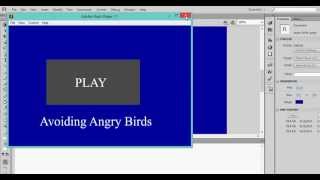
- 00:22Explaining the need to export the SWF file using 'publish preview' in Flash.
- 00:45Discussing hosting options, recommending free sites like sites.google.com.
- 01:34Demonstrating how to upload the SWF file to sites.google.com via the 'attachments' section.
- 02:07Showing how to create a new post on a blog or website and access the HTML editor.
- 02:34Instructing to copy the HTML code from the provided blog link and paste it into the editor, replacing the placeholder with the SWF file's URL.